
In This Article
- Feature/action 1 – Contact creation
- Feature/action 2 – Contact enrichment
- Feature/action 3 – How found details are organized
Feature/action 1 – Contact creation
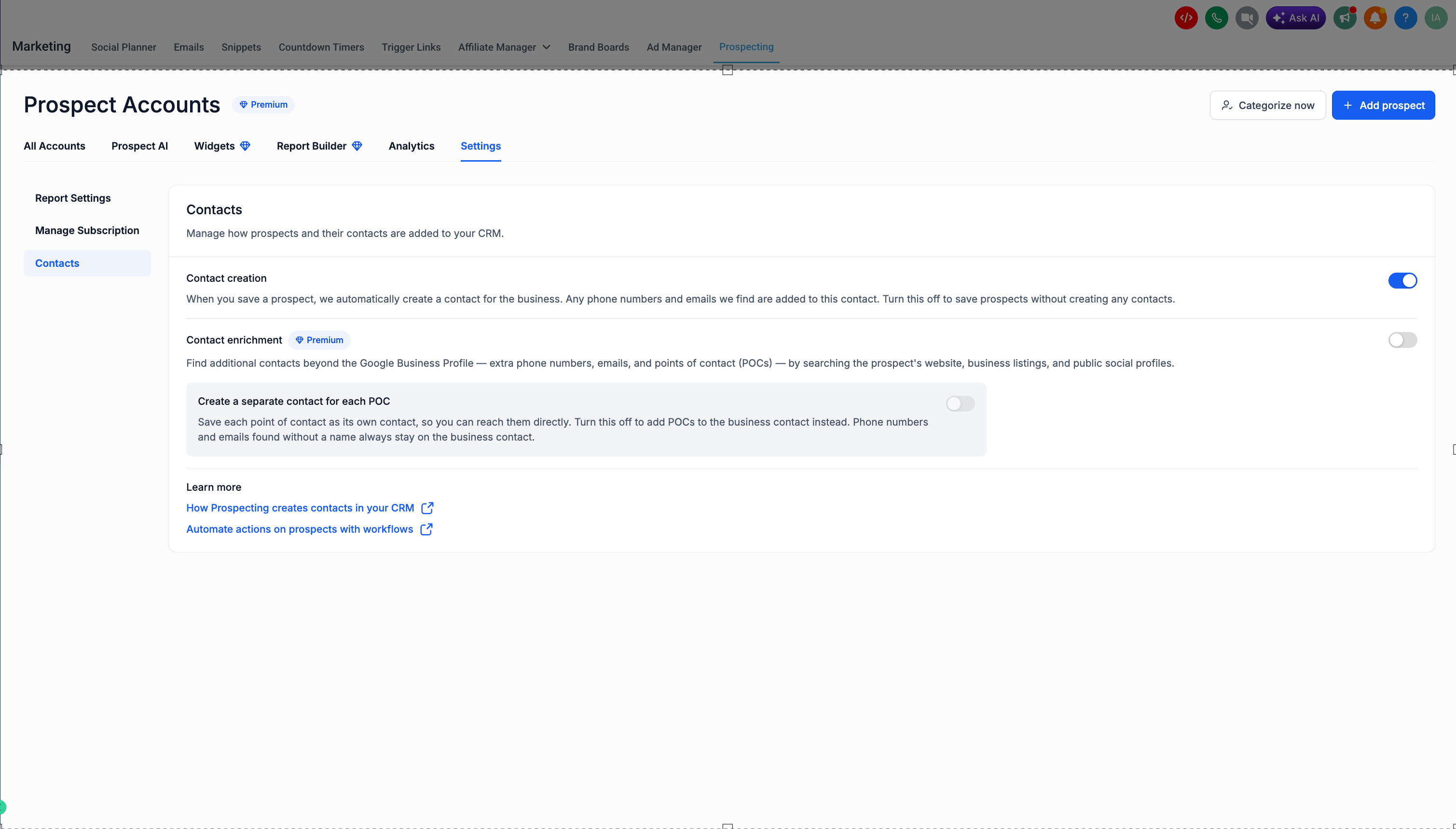
Contact creation can be managed under Marketing › Prospecting › Settings › Contacts. It’s on by default.
When it’s on, saving a prospect automatically creates one business contact in your CRM, built from the details available at that moment:
- The Google Business Profile number
- Details you add through forms
- Details captured by widgets
- Anything you enter manually
Any additional phone numbers and emails we find are added to this same business contact, so you start with one clean record per business. Turn this off to save prospects without creating any contacts.
Feature/action 2 – Contact enrichment
Contact enrichment is a Premium feature and is off by default. Turn it on to find additional contacts beyond the Google Business Profile.
Enrichment looks for:
- Extra phone numbers
- Extra emails
- Points of contact (POCs) — named people like owners and managers
These are found by searching the prospect’s website, business listings, and public social profiles. Enrichment is where POCs come from, so the organizing options in the next section only apply when it’s on.
Feature/action 3 – How found details are organized
Prospecting handles two kinds of details differently:
- Named contacts (POCs): saved as their own contact so you can reach them directly. Controlled by the “Create a separate contact for each POC” toggle (on by default). Turn it off to add POCs to the business contact instead.
- Unnamed details: phone numbers and emails found without a name always stay on the business contact. This keeps your CRM clean and isn’t something you need to manage.
For example, a prospect with enrichment on and POCs set to separate might create 1 business contact plus 2 POC contacts, with any unnamed details kept on the business contact.