
OpenRouter: Generate Response (Workflow Action)
The OpenRouter – Generate Response action lets you use advanced AI models directly within workflows to create dynamic, context-aware responses from a prompt you define.
This action is ideal for automating content creation, generating intelligent replies, summarizing inputs, and enabling AI-driven decisions across your workflows.
What does this action do?
The Generate Response action sends your prompt to a selected AI model through OpenRouter and returns a generated response. You can optionally provide system-level instructions to guide the model’s behavior.
The AI-generated output can then be used in subsequent workflow steps.
How it works
When a workflow reaches this action:
-
The selected AI model is invoked via OpenRouter
-
The System Prompt (if provided) defines the model’s role or behavior
-
The Prompt is sent to the model
-
The model generates a response
-
The response becomes available for use in later workflow actions
Getting Started with OpenRouter
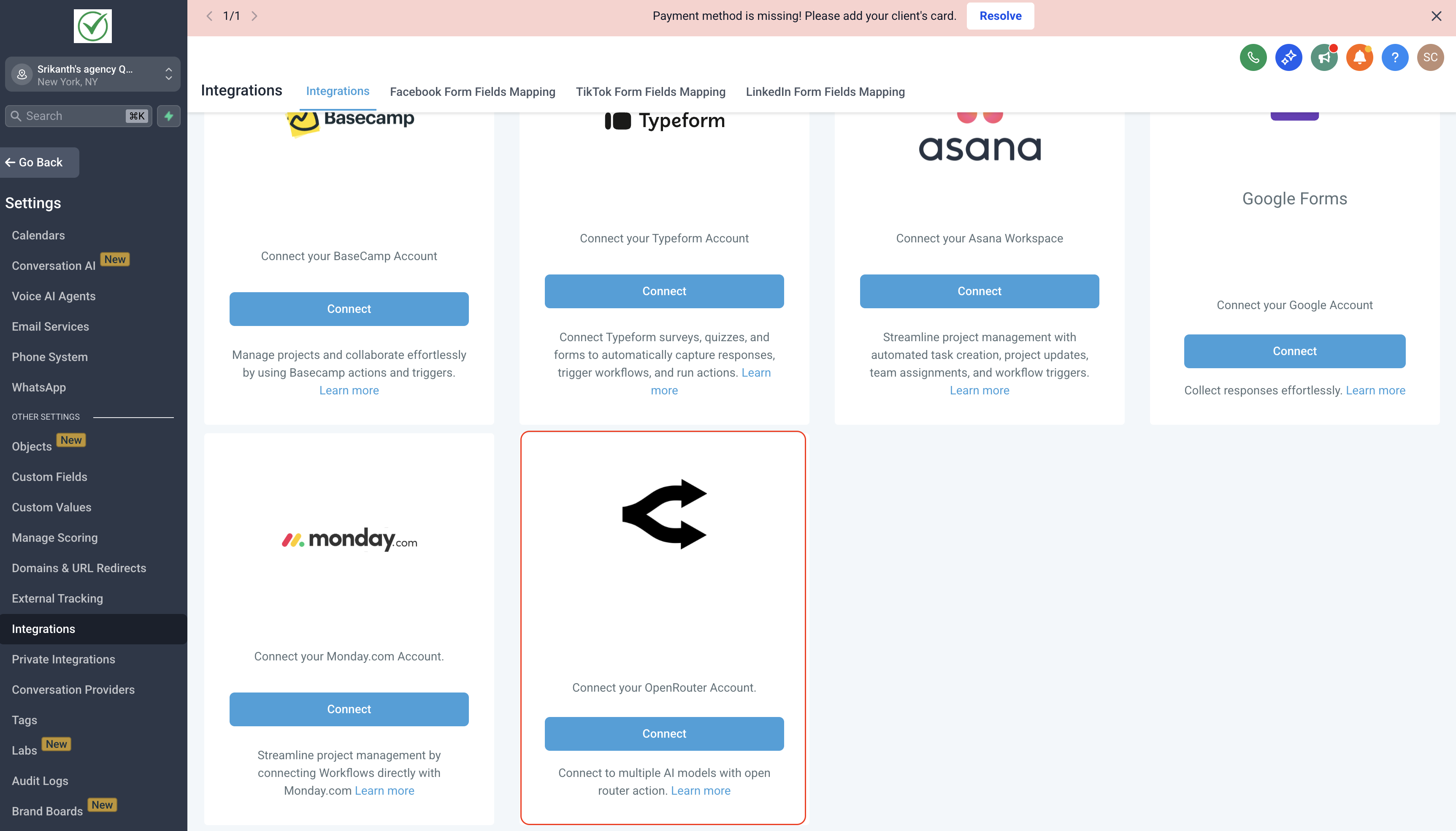
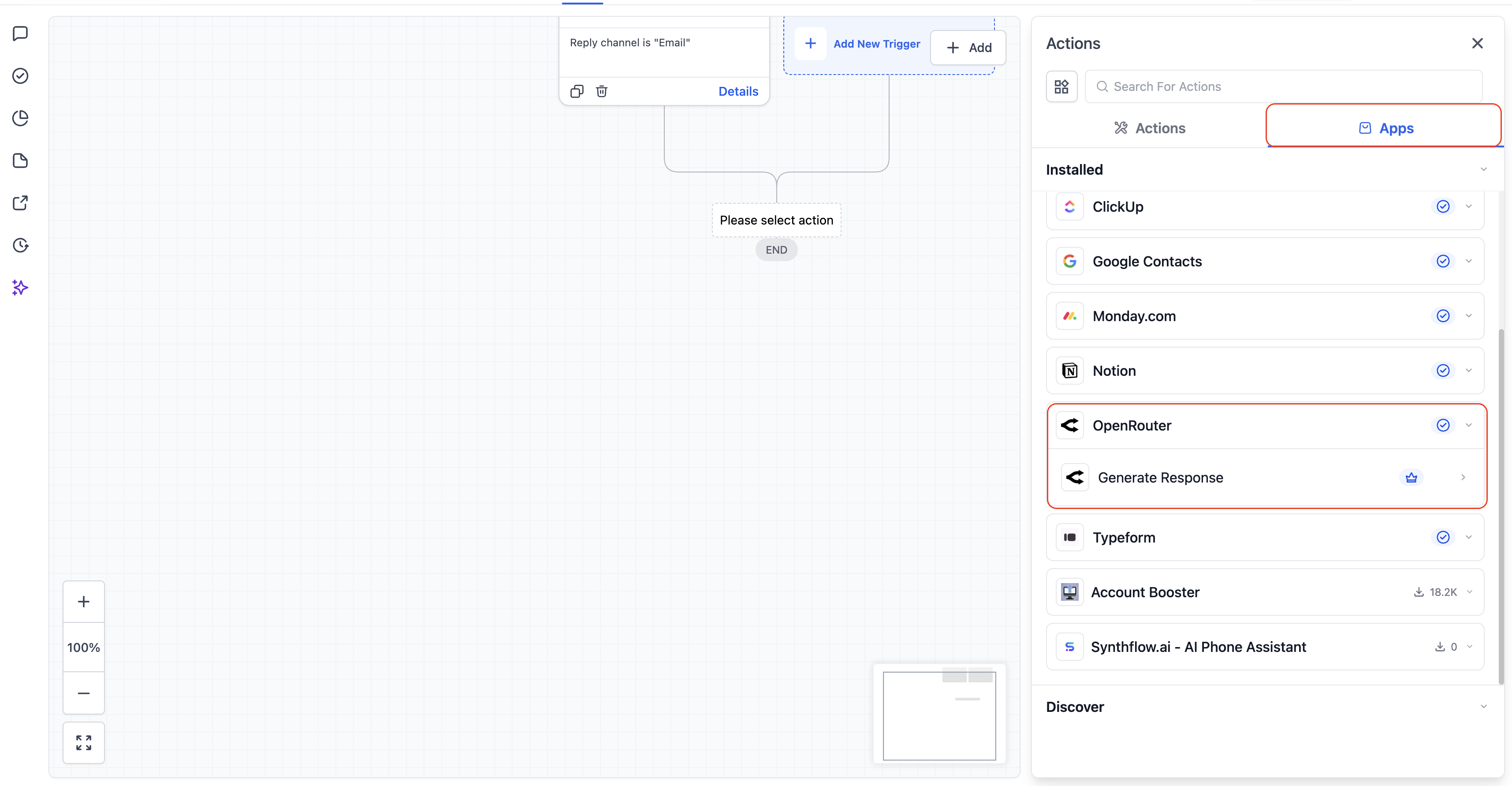
Step 1: Find OpenRouter in Workflows
In the Automation Builder, click Add Action and search for OpenRouter.
Step 2: Connect your OpenRouter account
If your account isn’t connected, click Connect Now and authorize using OpenRouter API key.
Step 3: Configure the action
Select a model, add your system prompt and prompt, then test the action to pull sample data.
Action Configuration
1. System Prompt (Optional)
Use the System Prompt to define the AI’s overall role, tone, or behavior.
Examples:
-
“You are a helpful customer support assistant.”
-
“You are an expert marketing copywriter.”
-
“Respond in a concise and professional tone.”
This prompt influences how the AI responds, not what it responds to.
2. Prompt (Required)
The Prompt contains the primary instruction or question sent to the AI.
You can include:
-
Plain text
-
Workflow variables
-
Custom instructions
Examples:
-
“Write a follow-up email for {{contact.first_name}} about their missed appointment.”
-
“Summarize the following message in one sentence: {{inbound_message.body}}”
-
“Generate a short sales pitch for this service: {{custom.service_description}}”
3. Model (Required)
Choose the AI model that will generate the response.
Models may differ in:
-
Response quality
-
Speed
-
Cost
-
Creativity
Select the model that best matches your use case.
Output
The generated AI response can be:
-
Inserted into messages (SMS, Email, WhatsApp)
-
Stored in custom fields
-
Used in conditional logic
-
Passed into other AI or workflow actions
Common Use Cases
-
AI-generated email or SMS replies
-
Summarizing inbound messages or form submissions
-
Creating personalized follow-ups
-
Generating dynamic marketing copy
-
Powering intelligent routing or decision logic
Best Practices
-
Be specific in your Prompt for higher-quality responses
-
Use the System Prompt to control tone and intent
-
Test multiple models to find the best fit
-
Keep prompts concise and clear
-
Use workflow variables to personalize outputs
Frequently Asked Questions
Can I use workflow variables in the prompt?
Yes. You can use supported workflow variables in both the Prompt and System Prompt fields to generate personalized AI responses.
What is the difference between System Prompt and Prompt?
The System Prompt defines the AI’s role, tone, or behavior, while the Prompt contains the main instruction or question sent to the model.
Which AI model should I choose?
Model choice depends on your use case – lighter models work well for simple tasks, while advanced models are better for creative or complex responses.
Can I store the AI-generated response in a custom field?
Yes. The generated response can be mapped to custom fields, used in messages, or passed to other workflow actions.
Do OpenRouter actions cost extra?
Yes. OpenRouter actions and triggers are premium workflow actions and are billed at standard automation rates, in addition to OpenRouter usage charges.
Does the product include AI credits for OpenRouter?
No. HighLevel does not include AI credits for OpenRouter. AI usage is billed by OpenRouter, along with standard automation rates in HighLevel.