
Overview
Great news! We’ve introduced powerful upgrades to deskphone communication, making it easier for teams to connect and collaborate seamlessly.
With Direct Extension Dialing and enhanced IVR Call Transfer capabilities, deskphone users now have greater flexibility and efficiency in managing internal calls.
Direct Extension Dialing Between Deskphones
You can now call any teammate with a configured deskphone simply by dialing their extension.
What’s New?
If your teammate’s extension is 101, just dial 201 from your deskphone to connect instantly , no external numbers or additional routing required.
Key Details
-
Fast extension-to-extension calling
-
Works between configured deskphones
-
Supported on deskphones only
This update makes internal communication quicker and more efficient for teams using deskphones.
IVR Call Transfer Between Deskphones
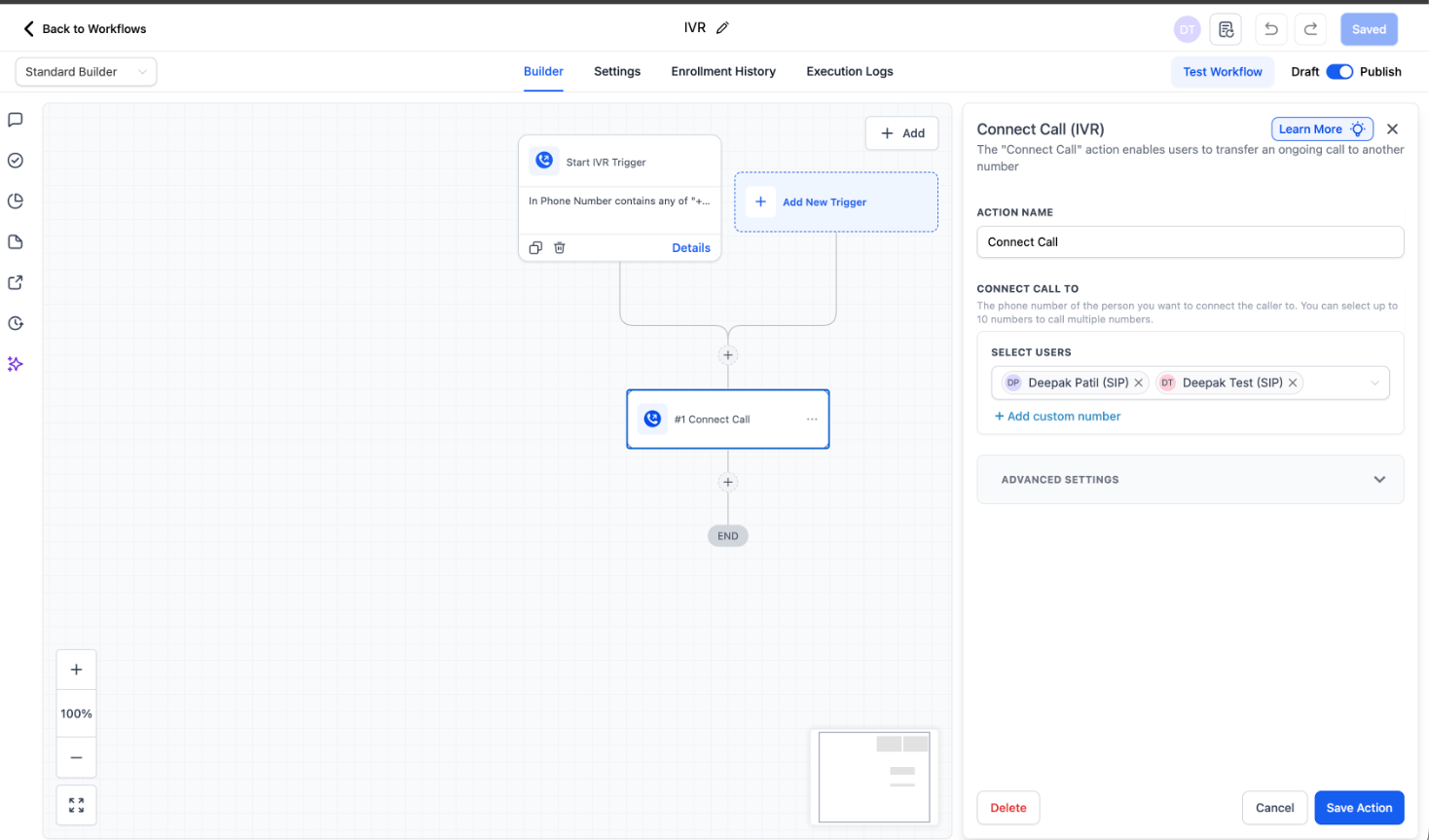
You can now transfer IVR calls from one deskphone directly to another deskphone.
What’s Improved?
Previously, when a call came in through an IVR flow and landed on a deskphone, it could not be transferred to another deskphone user. That limitation has now been removed.
Additionally:
Note – Regular (non-IVR) deskphone-to-deskphone transfers continue to work as before.
Requirements
To ensure this functionality works correctly:
-
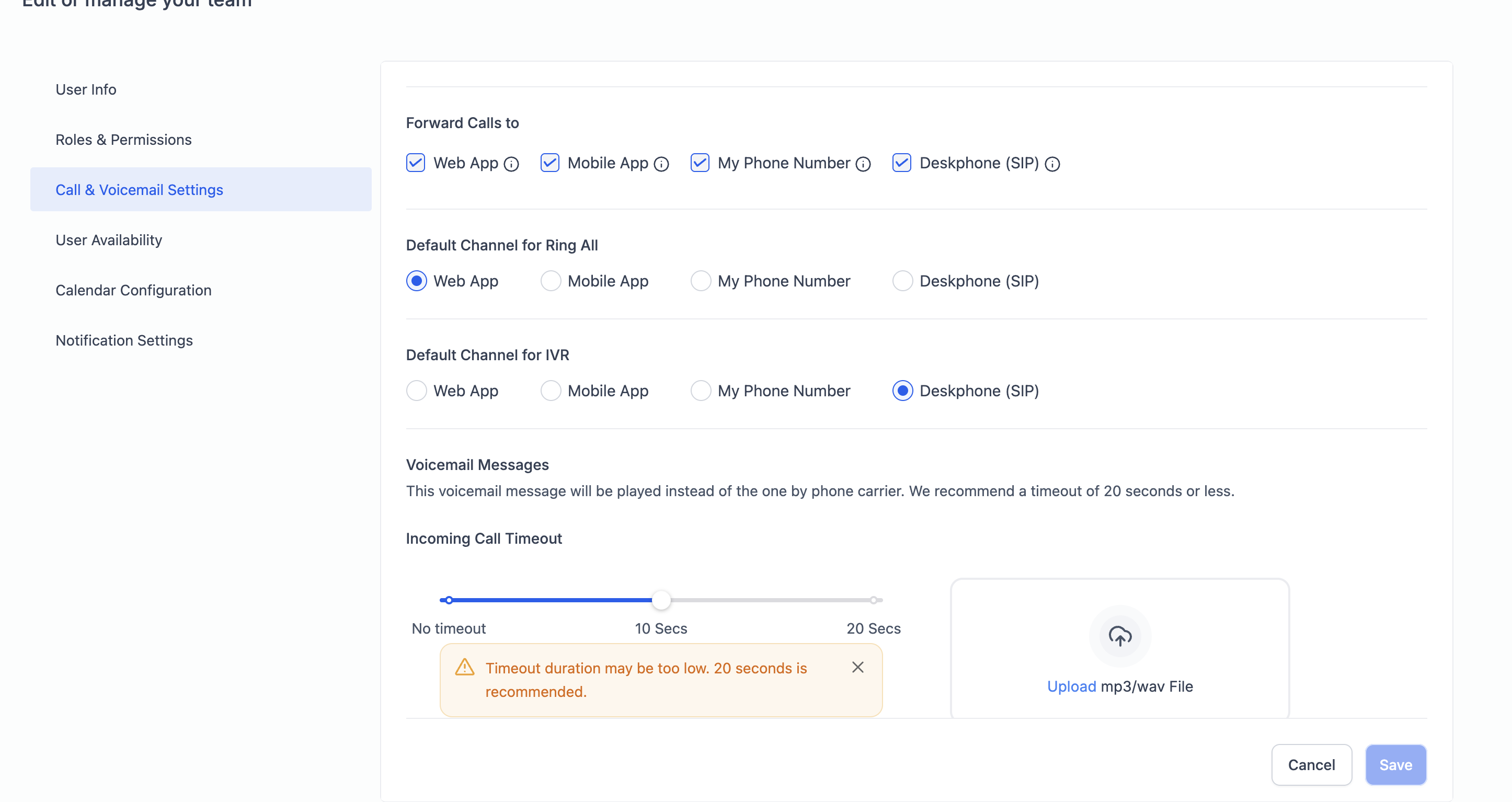
The IVR channel must be set to “Desk Phone” under the user’s Staff Settings.
-
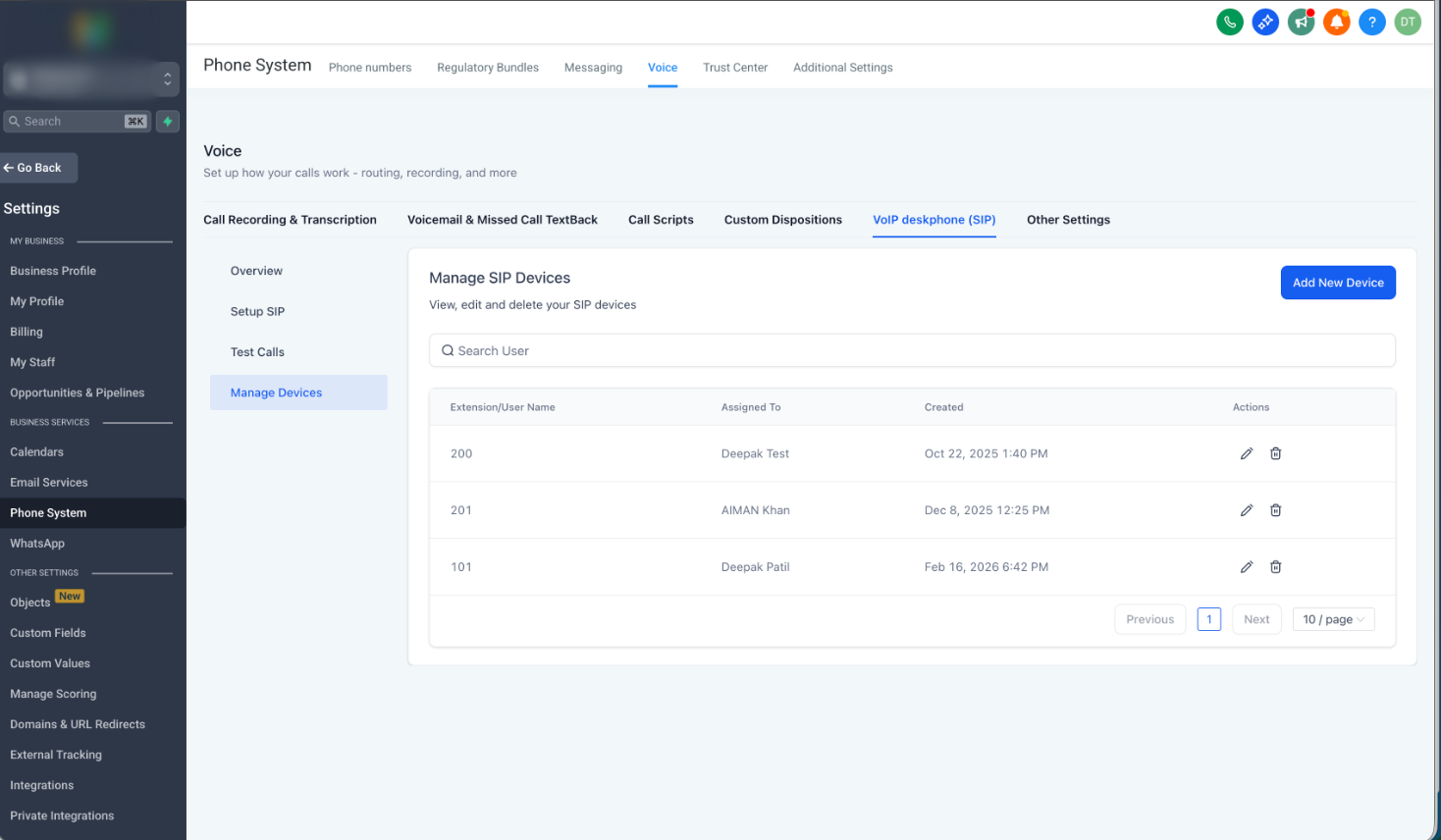
The user must be added and configured as a Desk Phone user.
How It Works
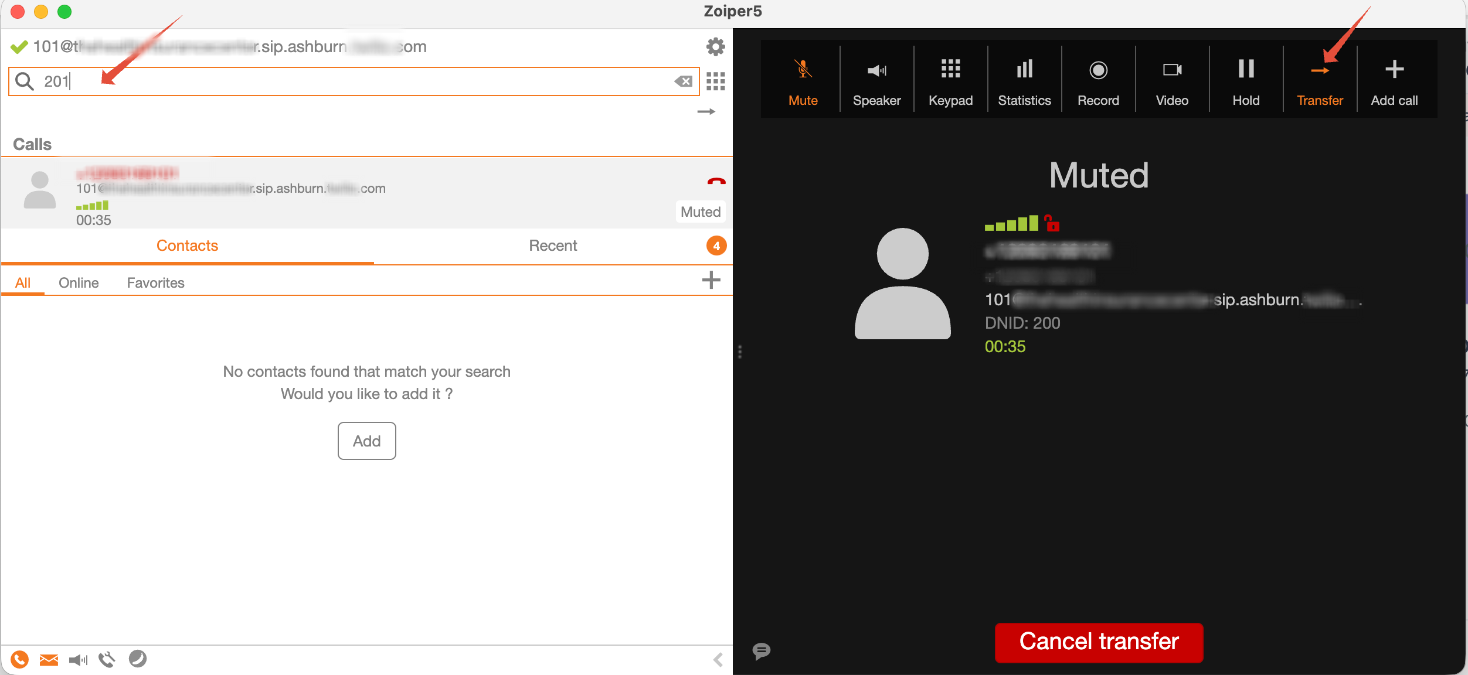
During an active IVR call on your deskphone:
-
Initiate a transfer.
-
Dial your teammate’s extension.
-
The call is routed directly to their deskphone.
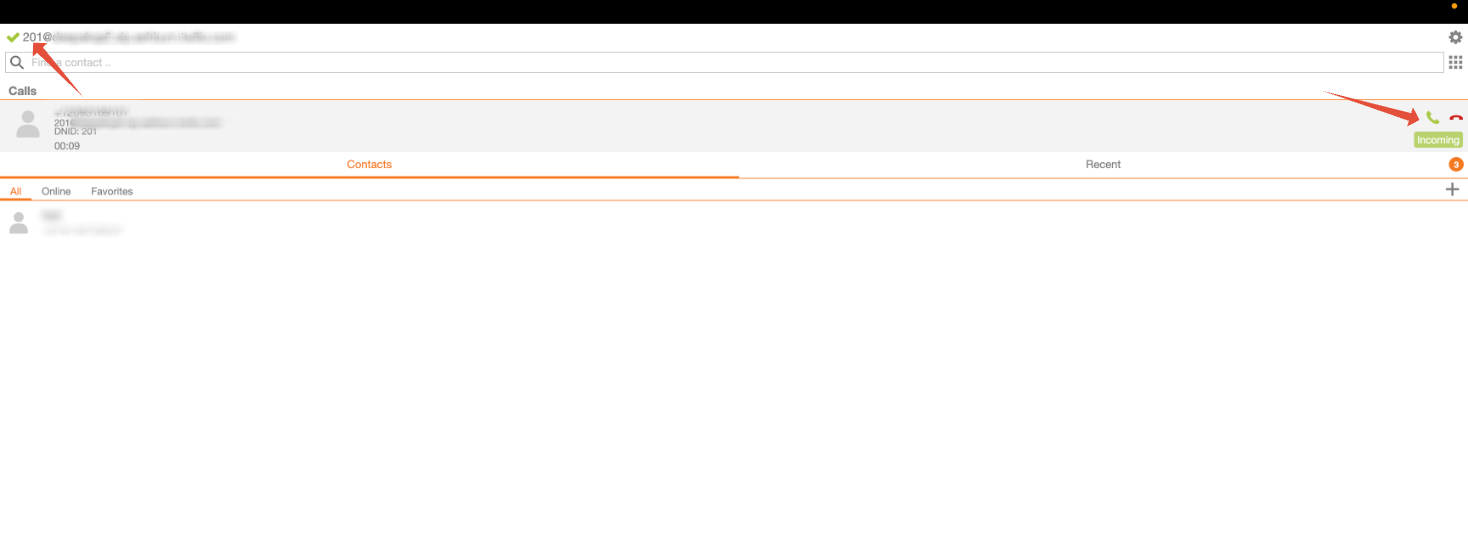
Simple and seamless.
Note: Only blind transfers are supported. Warm transfers are not currently available
What This Means for Your Team
These enhancements improve internal call handling by:
-
Enabling seamless collaboration between teammates
-
Allowing IVR calls to be handed off efficiently
-
Reducing missed calls and manual workarounds
-
Streamlining overall deskphone communication