
Wallet Pricing Page
This article explains how to access the Wallet Pricing page in Venderflow to view transaction costs for messaging, calling, and email services.
You’ll learn where to find pricing information for SMS, MMS, phone calls, and email sending, helping you understand your communication costs.
What is the Wallet Pricing Page?
The Wallet Pricing page is a centralized location within Venderflow where you can view detailed pricing information for all transaction-based communication services. This page provides transparent access to the costs associated with sending SMS messages, MMS messages, making phone calls, and sending emails.
Previously, pricing information was distributed across multiple locations within the platform. The Wallet Pricing page consolidates this information into a single, easy-to-access location within your Wallet dashboard, making it simple to understand the costs associated with your communication activities.
This feature enhances transparency and helps you make informed decisions about your communication spending by providing clear, upfront pricing information for all transaction types.
Key Benefits
The Wallet Pricing page provides several advantages that improve your ability to manage and understand communication costs:
How to Access the Wallet Pricing Page
Follow these steps to access the Wallet Pricing page and view your transaction costs:
Click on Settings in the left navigation menu of your Venderflow dashboard.
In the Settings menu, locate and click on Wallet to access your wallet management interface.
Within the Wallet section, look for the Pricing tab or link. Click on it to view detailed pricing information for all communication services.
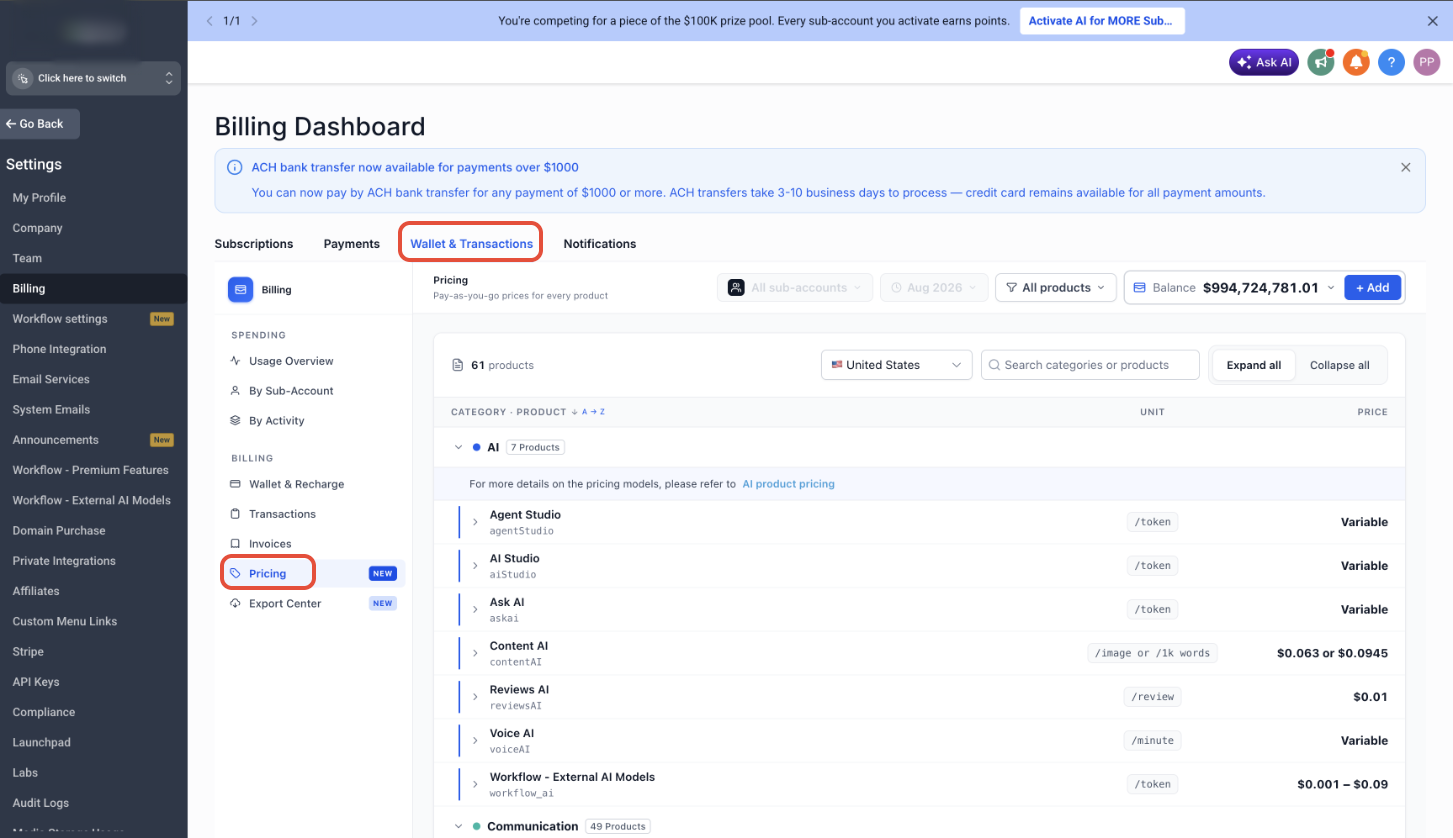
Understanding Your Pricing Information
The Wallet Pricing page displays costs for four main categories of communication services. Each category shows the applicable rates that apply to your account:
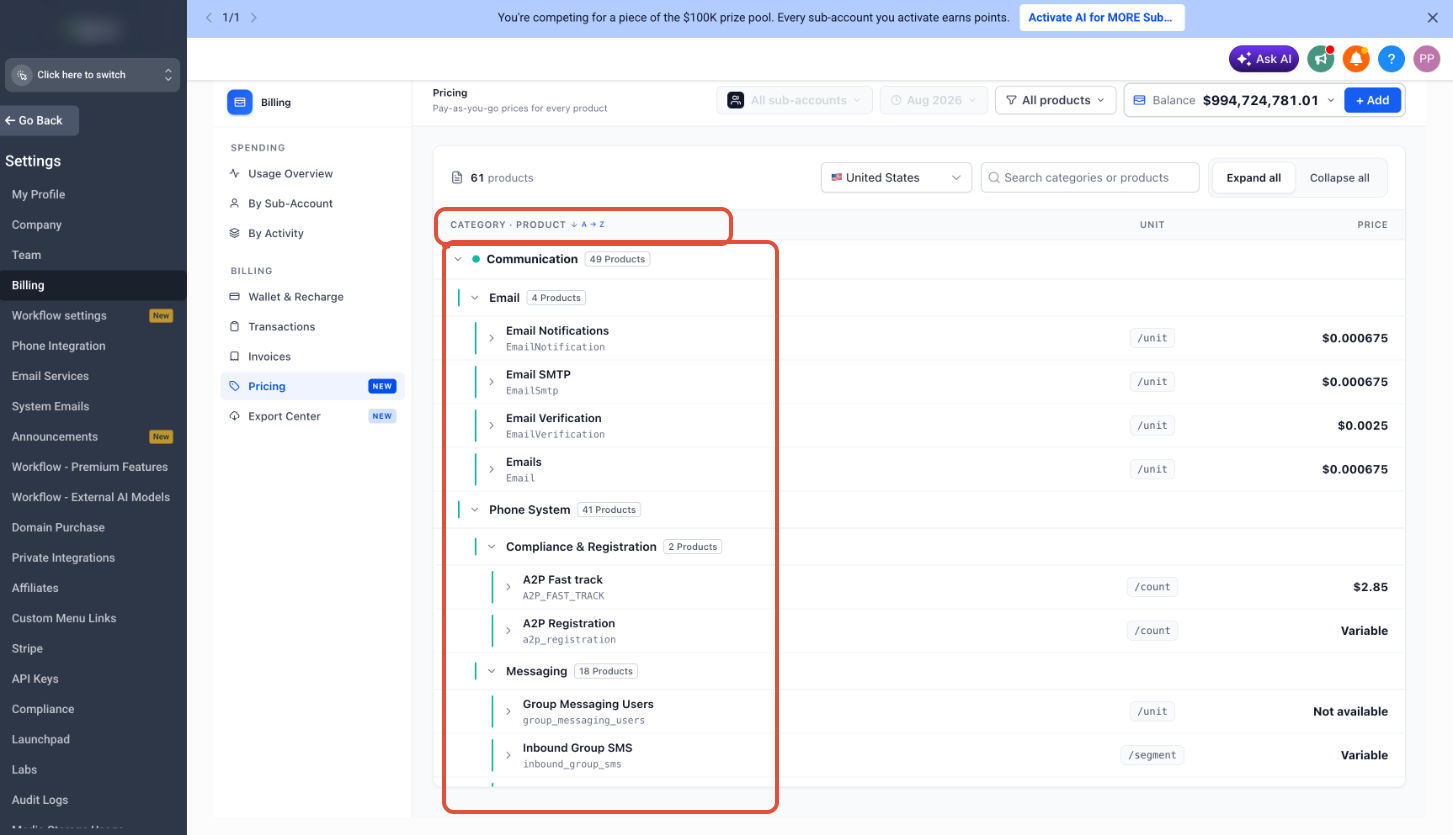
View the per-message cost for standard text messages sent through Venderflow. SMS pricing varies based on the destination country and carrier.
Check the cost for multimedia messages that include images, videos, or other media attachments. MMS rates are typically higher than standard SMS rates.
Review the per-minute rates for inbound and outbound phone calls made through your Venderflow phone numbers. Pricing may differ based on call type and destination.
See the cost for email messages sent through Venderflow’s email service, including both marketing and transactional emails.
Pricing information displayed on the Wallet Pricing page reflects the current rates for your account. Rates are subject to change based on carrier costs and service updates. Check this page regularly to stay informed about your communication costs.
Frequently Asked Questions
If you have questions about the pricing displayed or need assistance understanding your communication costs, our support team is ready to help.
- Access the Wallet Pricing page from Settings > Wallet to review current rates
- Contact support through the in-app chat for questions about specific pricing categories
- Check your transaction history in the Wallet to see how costs are being applied